
Reference board for 2D/3D artists
Every reference you need, on one board.
Collect, arrange and annotate reference images. Keep several projects open in tabs and your board over the app you draw in. Free, open source, and yours to keep.
- Linux
- Windows
- macOS (Apple Silicon) — coming soon
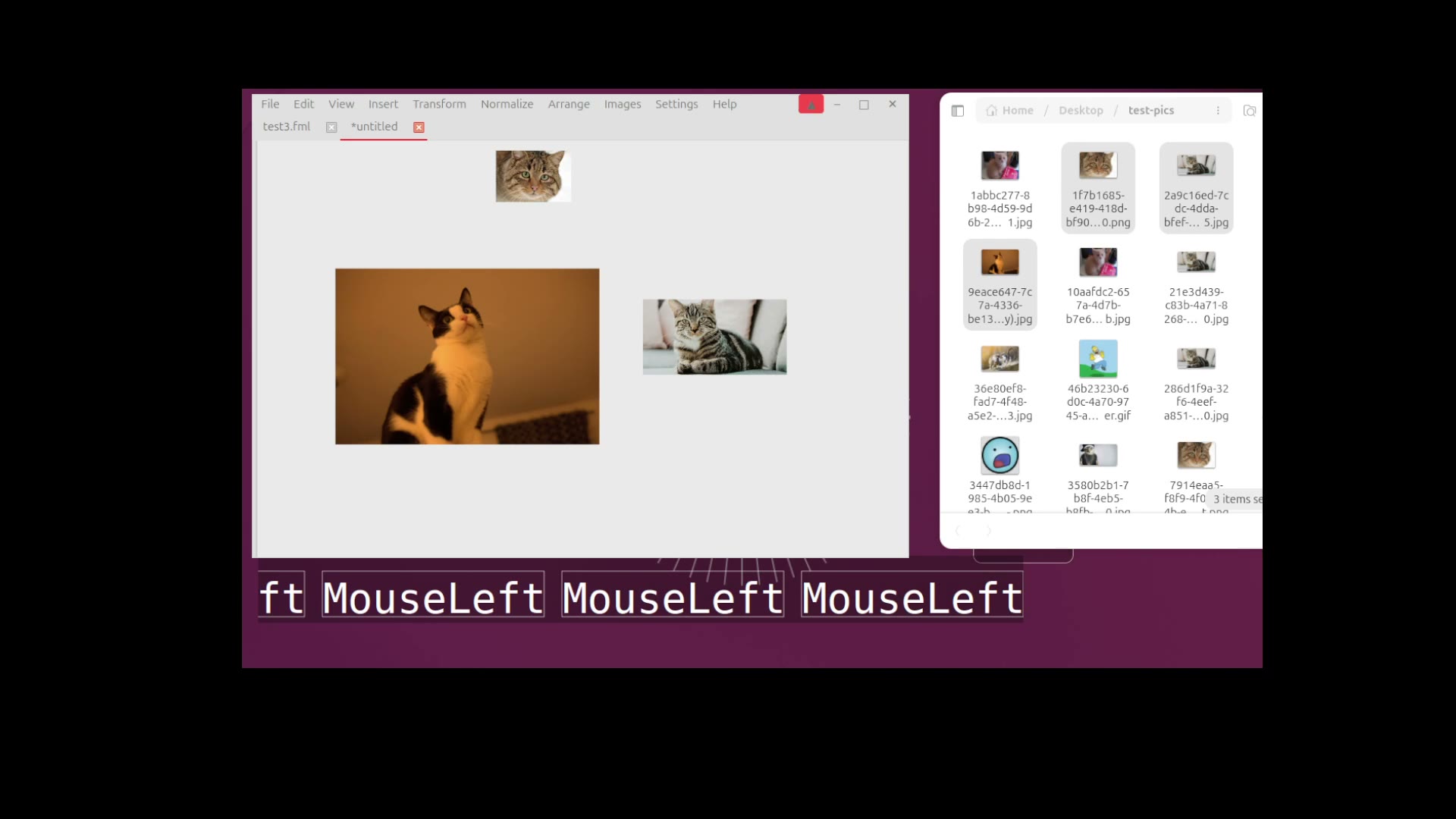
The toolkit
From first image to finished board
familiar covers the whole reference workflow. These are the main tools available in the application today.
Collect
- Drag and drop files or images from a browser
- Paste images, files, or text
- Import camera RAW files and animated GIFs
- Optimize large images on import
Compose
- Pan and zoom an endless canvas
- Arrange and normalize image sizes
- Crop, flip, and change opacity
- Group items and inspect the hierarchy
Keep and share
- Open multiple projects in tabs
- Save editable .fml projects
- Export PNG, JPEG, or SVG scenes
- Use autosave and crash recovery
What it does
Reference above your work
Keep the board always on top, adjust its opacity, and let clicks pass through to your drawing app.
Notes that follow pictures
Attach a note to an image and it follows through moves, transforms, groups, copies, and deletes.
Groups inside groups
Collect related references into groups, nest groups as deeply as you need, and see them in the hierarchy panel.
Multiple projects in tabs
Keep several boards open in one window. Each tab has its own project file, undo history, and unsaved state.
Work that survives a crash
Recovery keeps separate copies of changed boards and offers them back after an unclean exit.
Edit without losing originals
Crop, flip, scale, rotate, change opacity, or show grayscale. Reset transformations when you need to.
Yours, not ours
Your boards are files on your disk. Nothing is uploaded, there is nothing to sign into, and the application works with no network at all.
The only thing it ever sends is an install counter, and only after it asks you on first run. What it sends.
The counts it produces are published — the same numbers we see, as a lower bound, with nothing finer than a calendar day behind them.